Bartec Collective
Jadu has partnered with Bartec Systems to deliver fully integrated digital service for waste management. Collective can also push an update to any Jadu Connect case created allowing for personalised notifications to be sent as updates by Jadu Connect.
Navigating to the Bartec Collective area
- Click the Settings icon in the left navigation bar. The Settings menu will open.
- Click the Integrations link in the first group of links. A list of integrations will now be shown.
- Click the Bartec Collective option in the list of integrations. The Bartec Collective integration form will open.
Integration elements
The integration consists of:
- a suite of predefined logic to surface data from Bartec Collective
- an integrated component to look up bins at a property
- an integrated component to load a dropdown list of selectable dates related to WorkPacks in Bartec Collective
- a form action to raise a service request in Bartec Collective
Bartec Collective fields
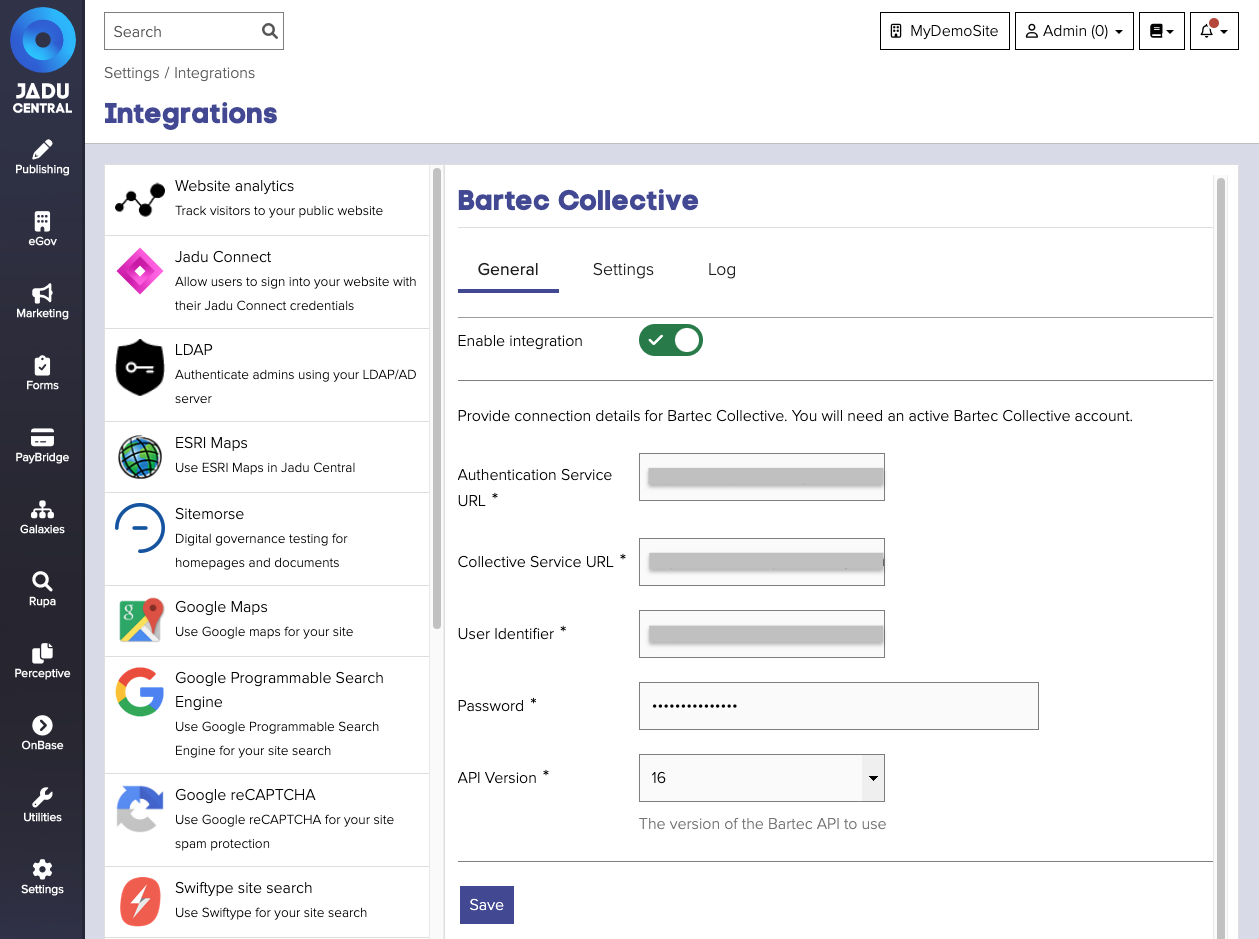
| Field | Notes | Required? |
|---|---|---|
| Enable integration | Enable or disable the integration | ✅ |
| Authentication Service URL | URL of the Bartec authentication service. | ✅ |
| Collective Service URL | URL of the Bartect collective service. | ✅ |
| User Identifier | Identifier for the Bartec Collective user account | ✅ |
| Password | Password for the Bartec Collective user account | ✅ |
Integration Settings
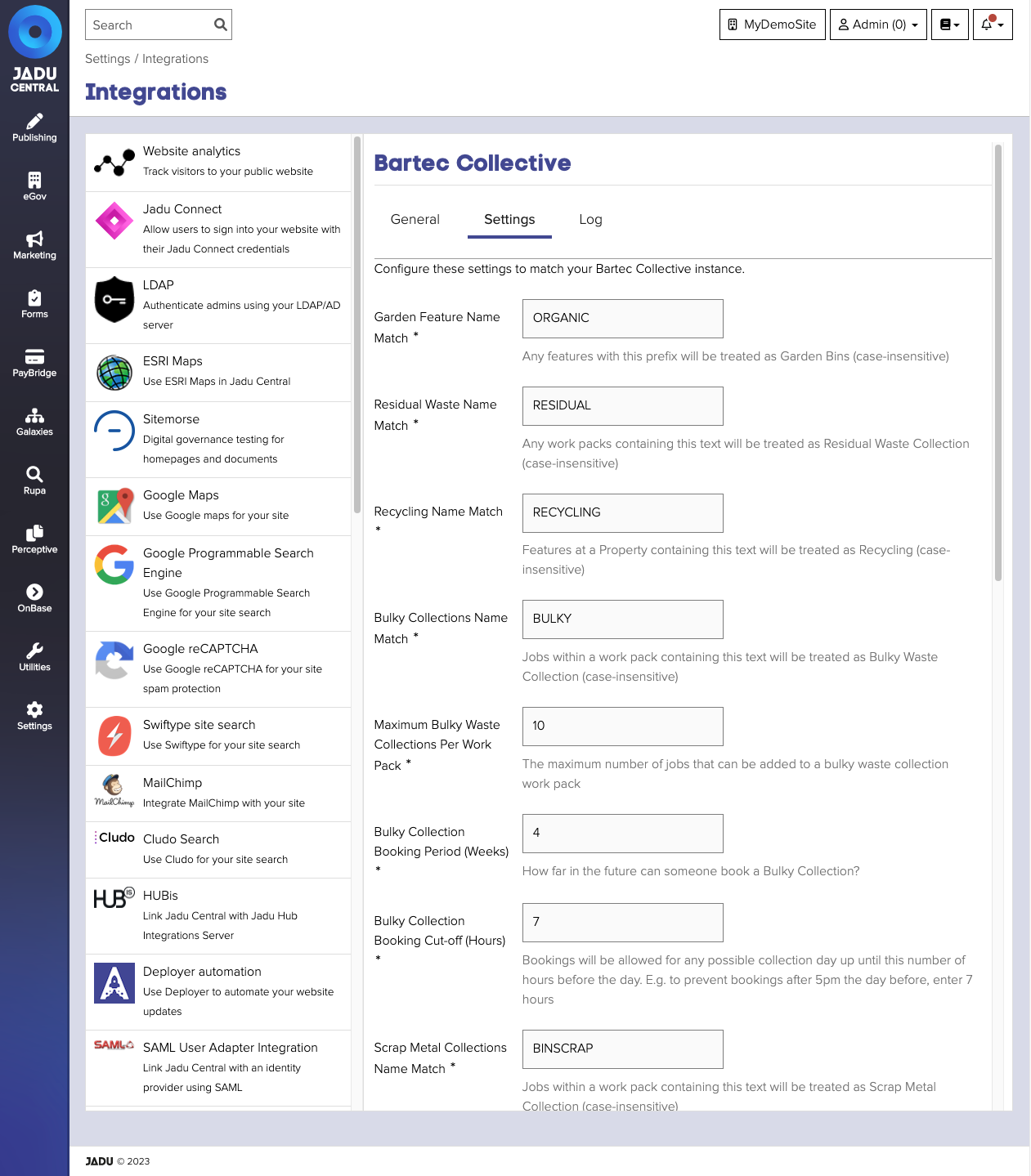
Once you have successfully connected to Bartec Collective, the 'Settings' tab will become enabled. Here you can customise the integration to match your particular instance of Bartec Collective.
| Field | Default Value | Info | Required? |
|---|---|---|---|
| Garden Feature Name Match | ORGANIC | Any features with this prefix will be treated as Garden Bins (case-insensitive) | ✅ |
| Residual Waste Name Match | RESIDUAL | Any work packs containing this text will be treated as Residual Waste Collection (case-insensitive) | ✅ |
| Bulky Collections Name Match | BULKY | Jobs within a work pack containing this text will be treated as Bulky Waste Collection (case-insensitive) | ✅ |
| Maximum Bulky Waste Collections Per Work Pack | 10 | The maximum number of jobs that can be added to a bulky waste collection work pack | ✅ |
| Scrap Metal Collections Name Match | BINSCRAP | Jobs within a work pack containing this text will be treated as Scrap Metal Collection (case-insensitive) | ✅ |
| Maximum Scrap Metal Collections Per Work Pack | 10 | The maximum number of jobs that can be added to a scrap metal collection work pack | ✅ |
| Assisted Collection Description | Assisted Collection | The attribute description used to determine whether a property has assisted collections (case-insensitive) | ✅ |
| Service Request Class | All | The service class to restrict service request creation to | ✅ |
| Cache Timeout | 0 Minutes | Determine how long to reuse data that has already been obtained from Bartec Collective, before it needs to be refreshed | ✅ |
Integration Log
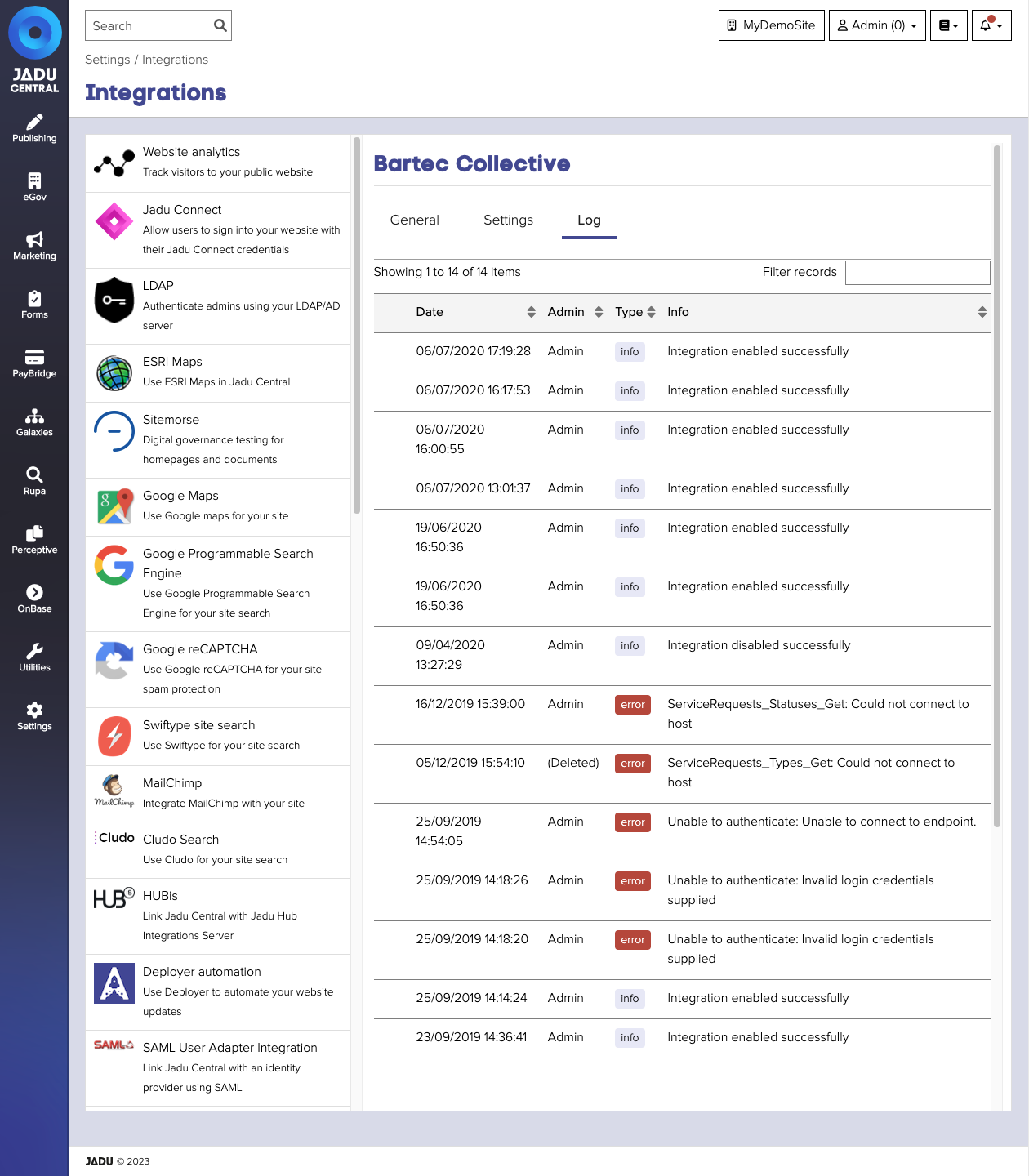
The integration 'Log' tab displays a record of:
- actions carried out and which Administrator was responsible
- when the integration was enabled and disabled
- any errors returned from Bartec Collective when testing the provided details
The log shows the most recent 250 entries, and can be searched by date, Administrator, error text or status.
Missing dependency warning
You may encounter a warning message about a Missing dependency. This relates to the PHP SoapClient module which may be missing from you application server.