Smartmapping to Central Form fields
You can enable field mapping between Jadu Central Forms and Jadu Connect. This automatically pulls changes to drop-down fields from Jadu Connect into Jadu Central forms. Available from Jadu Central 4.1.0.
Enabling smartmapping in Connect
- Go to Settings, Integrations then choose Jadu Connect from the list of Integrations.
- Ensure the Service API URL and Service API key are completed.
- In the Advanced Integration with Forms section add the Webhook Forms Secret, and Save.
- Within Build Connect Cache, press the
Buildbutton to get the latest list of Connect fields.
Refreshing Connect fields
- Go to Settings, Integrations then choose Jadu Connect from the list of Integrations.
- To get the latest list of Connect fields press the
Buildbutton.
Smartmapping a new Form Element using a Case Field from Jadu Connect
- Within a page’s Form Elements, choose the
Add from Connectbutton. - Start typing the name of a case field you’d like to use, and a list of suggestions will appear.
- Choose the case field you’d like to use.
- Press
Create Questions.
Smartmapping an existing Form Element to a Case Field from Jadu Connect
- Edit the Question.
- Press the
Link from Connecticon, next to Edit Question. - Start typing the name of a case field you’d like to use, and a list of suggestions will appear.
- Choose the case field you’d like to use.
- Press
Create Questions.
Identifying Jadu Connect fields within a form
Jadu Connect fields are labelled and visually highlighted by the Jadu Connect icon next to the field.

Removing a Smartmapping to a Jadu Connect Case Field
- Edit the Question.
- Press the
Unlinkbutton. - Confirm the removal of smartmapping by pressing the
Unlink Questionbutton.
Troubleshooting
If the connection with Connect has been lost:
- Ensure the integration is still enabled and the details are correct.
- Check the Connect statuslog for any maintenance or downtime.
Importing a form with smartmapping
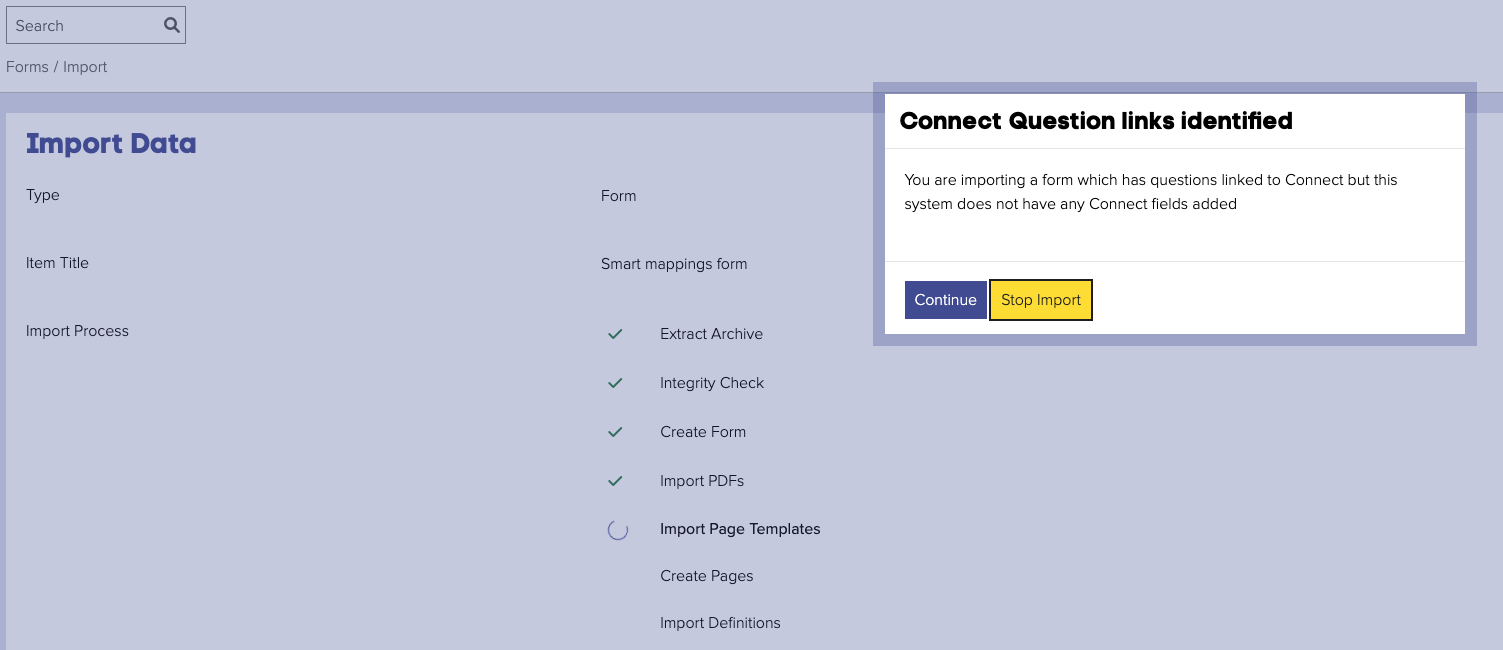
When importing a form with smartmapping to a server which doesn't have smartmapping you will see a warning modal. "Connect Question links identified: You are importing a form which has questions linked to Connect but this system does not have any Connect fields added."