Ellucian Ethos Integration
Ellucian Ethos integration allows for Person details from either Ellucian Colleague or Ellucian Banner to be retrieved and used within a form submission.
Enabling the integration
Within the Jadu Central Control Center, go to Settings > Integrations with the navigation menu. Then find "Ellucian Ethos" in the list of integrations.
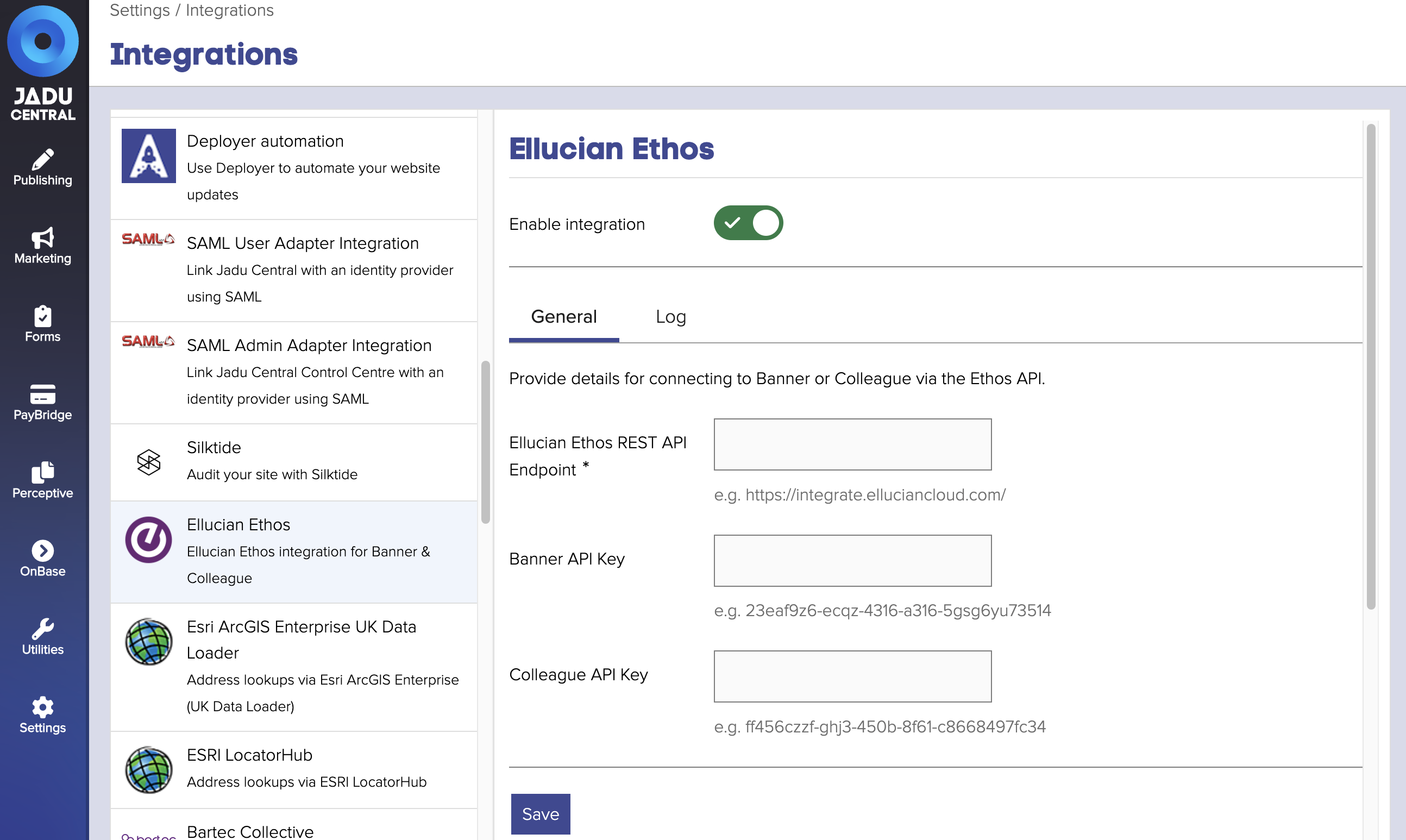
Enable the integration and enter the below settings:
| Setting | Description |
|---|---|
| Ellucian Ethos REST API Endpoint | The base URL of the Ethos API for your environment, in most cases this should be https://integrate.elluciancloud.com/ |
| Banner API Key | If connecting to Banner, enter a valid API key |
| Colleague API Key | If connecting to Colleague, enter a valid API key |
Upon clicking Save, an attempt will be made to authenticate with the API. If successful, the settings will be saved, otherwise an error will be displayed.
The integration uses the following API endpoints and therefore will need to be allowed for the API key provided in the settings:
- /api/persons
- /api/addresses/<id>
Usage within a form
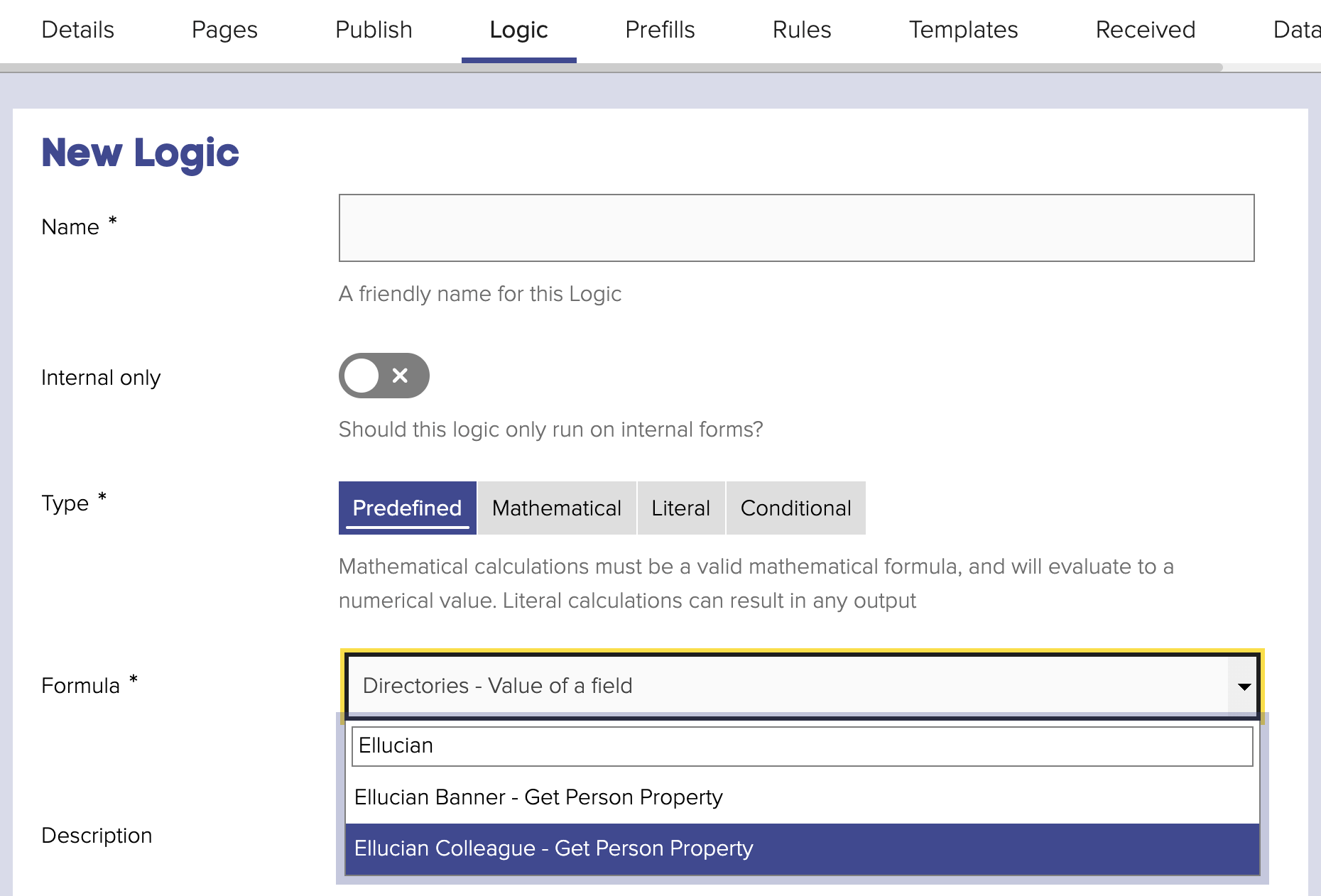
The integration includes 2 Predefined Form Logics, one for Banner and one for Colleague. Both logics work in the same way - allowing a Person to be identified in the relevant system, using a "credential" of a given type, and returning a selected value from that record.
Inputs
This logic requires 3 inputs to be set:
-
Credential Type - the credential type as specified within the Ethos API. For example, the API returns the following credentials when looking up a Person in Colleague:
...
"credentials": [
    { "type": "colleaguePersonId", "value": "0000123" },
    { "type": "colleagueUserName", "value": "syoung" },
    { "type": "ssn", "value": "078-05-1120" }
]
...
Given the above, valid values for this input would be
colleaguePersonId,colleagueUserName,ssn. It is understood however that the possible credential types differ per implementation.This input can be defined by a fixed value via manual text input, or dynamic based on an answer given in the form or a value stored on the user record in Jadu.
-
Credential Value - the value of the given credential type to search for the Person by.
This input can be based on an answer given in the form or a value stored on the user record in Jadu.
-
Person Detail - the value from the Person record to return. Values available are:
- Id
- Preferred full name
- Preferred first name
- Preferred middle name
- Preferred last name
- Date of birth
- Preferred pedigree
- Primary address Id (Colleague only)
- Primary address locality (Colleague only)
- Primary address line(s) (Colleague only)
- Primary address region/state name (Colleague only)
- Primary address region/state code (ISO 3166) (Colleague only)
- Primary address postal/zip code (Colleague only)
- Primary address country (Colleague only)
- Primary email address
Return values
| Value | Description |
|---|---|
| The value of the selected 'Person Detail' | If the Person can be found based on the credential type & Value |
no match | If the Person cannot be found |
matched more than one person | If multiple results are returned for the credential type & Value, meaning the correct result cannot be accurately identified |
error | If an error occurred making the API request |
integration disabled | If the integration is not enabled in Integrations Hub |
incomplete settings | If any of the inputs do not have a value |
Conditional logic and/or branching rules can be used to adjust the behavior of the form where any of the non-successful static values are returned.
Logic process
-
The Person is retrieved from the API using the specified
Credential TypeandCredential Value. -
If a single match is found, and the selected
Person Detailvalue is not an address element, the value will be returned. Where the selectedPerson Detailvalue is prefixed "Preferred", the value will be returned where the API response details:"preference": "preferred" -
If the selected
Person Detailvalue is an address element, a further API request will be made to fetch the address by the id specified in the Person details, where the address is marked as "primary":...
{
"address": {
"id": "4e33a3c6-b706-42c3-a539-c9088a985fda"
},
"preference": "primary"
...
},
...
Caching
When retrieved from the Ethos API, the matched Person and (where required) Address are cached by Jadu Central for the remainder of the current page load. This means that any subsequent logics that need to access the Person / Address will not need to retrieve from the API again.