Session timeout modals
Available from Jadu Central 4.2
Session timeout modals alert a user when their session is due to expiry. These are shown to Jadu Central Control Center users and front end users.
The modal will warn the user when there are two minutes left of their session, and provide a countdown to sign out from 59 seconds.
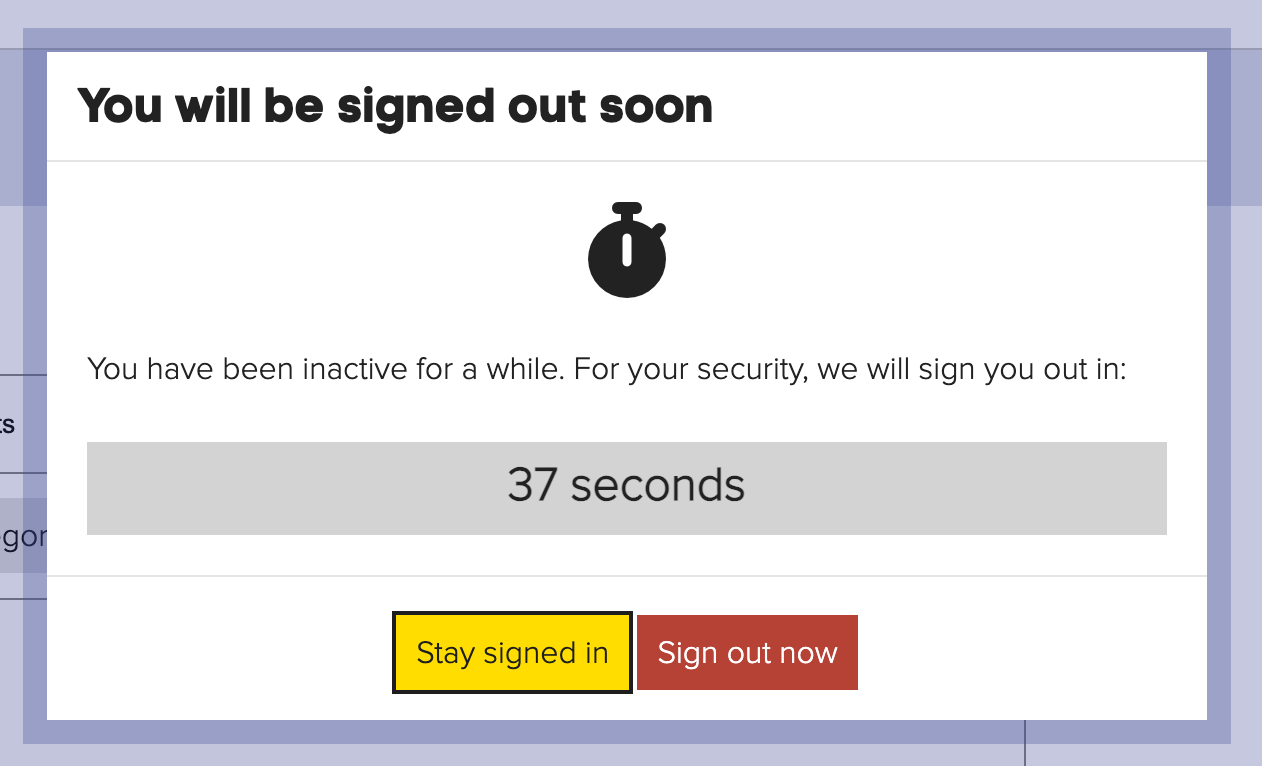
Session timeout limits
You can change the timeout limits for front end and Control Center users. To do this:
- Go to Settings, Site settings then Security settings
- Edit the Configure timeout period for front-end users to change the limit for front-end users.
- Edit the Configure timeout period for Control center users to change the limit for Control Center users.
note
The timeout limit should be a minimum of 3 minutes.
Modal message text
You can change the modal text that appears for a front end user or Control Center user.
To do this go to Settings, Language pack, choose the Language and edit the entries listed.
Default values
| Key | Value | Description |
|---|---|---|
| timeout-countdown-text | You have been inactive for a while. For your security, we will sign you out in: | Countdown text for the timeout modal |
| timeout-heading-text-for-signed-out-modal | For your security, we signed you out | Timeout heading text for signed out modal |
| timeout-heading-text-for-warning-modal | You will be signed out soon | Timeout heading text for warning modal |
| timeout-sign-out-text-for-form | For security reasons, we have cleared your data due to inactivity. | Timeout text for anonymous users on the form |
| timeout-sign-out-text-for-signedIn-users | For security reasons, you have been signed out due to inactivity. | Timeout text for signed in users |