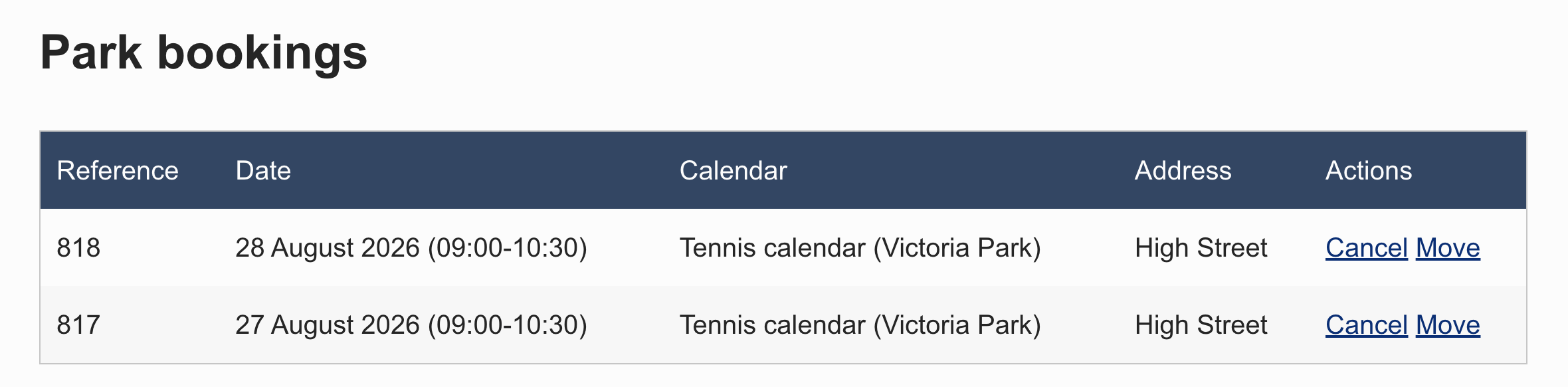
My Account - User Bookings widget
The My Account - User Bookings widget enables logged-in users to view their bookings and provides configurable options to redirect them to the appropriate Cancel or Move Booking forms for managing their bookings.
You can configure the widget by navigating to the Widget settings"
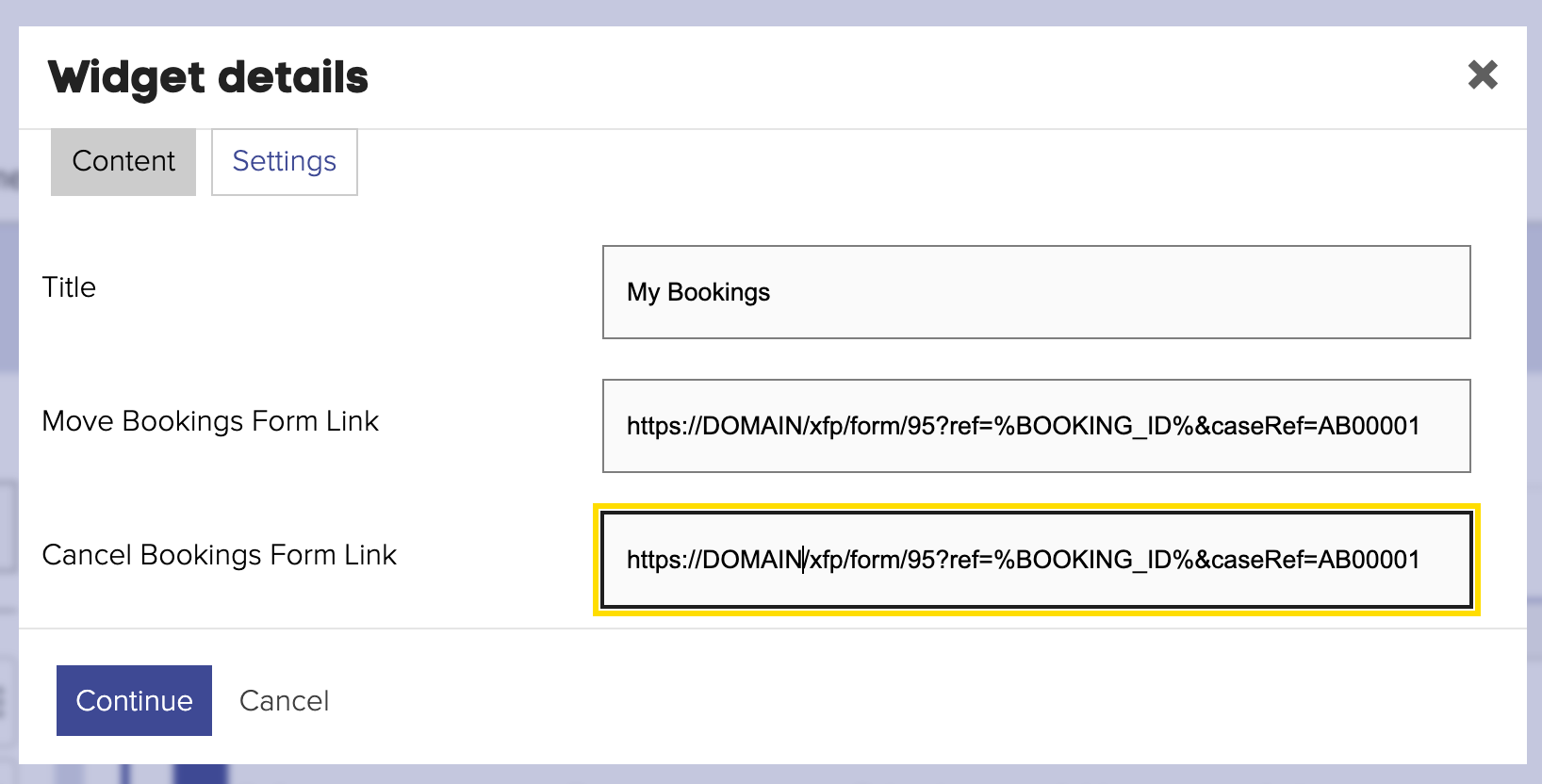
To pass the booking ID from the widget to the target form, set the URL in the following format:
https://DOMAIN_NAME/xfp/form/95?ref=%BOOKING_ID%&caseRef=AB00001
In this URL, the %BOOKING_ID% placeholder will automatically be replaced with the actual booking ID when the widget is rendered on the front end.
The ref parameter (or any custom name) should be configured as a URL parameter prefill for the Existing Bookings component.
Additionally, the caseRef parameter can be prefilled similarly to allow editing the case after cancelling or rescheduling the booking in case of Move Booking action.